
Lingoverse now has six exercise types — and a tutor that picks the right one
Six vocabulary exercise types are now live in Lingoverse: fill-in-the-blank, word order, matching, reading comprehension, grammar choice, and error correction. Plus a picker that lets you choose.
Lingoverse now has six exercise types — and a tutor that picks the right one
For most of the past year, Lingoverse generated exercises in three formats: fill-in-the-blank, word order, and matching. They worked well for vocabulary that needed quick recall, but three formats only test three kinds of knowing.
Today we are shipping three more: reading comprehension, grammar choice, and error correction. We also changed how the AI tutor offers them. When you ask for practice without naming a type, the tutor now hands you a picker instead of guessing.
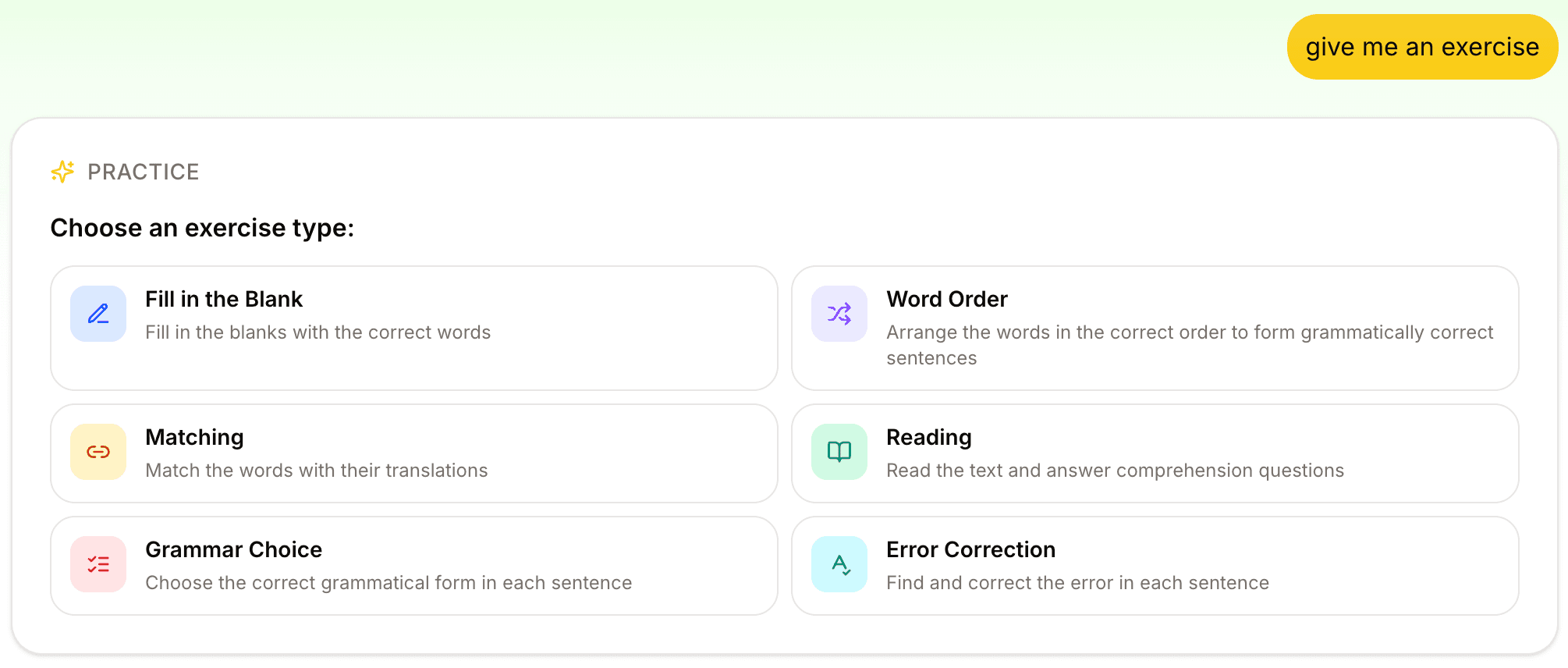
Below is what each exercise type does, when to use it, and how the tutor decides whether to pick one for you or ask.
Why six types, not one
More exercise types do add variety, and variety keeps you coming back. The bigger reason is that different exercises test different kinds of knowing.
Knowing that conscientious means "careful and thorough" is not the same as being able to drop it into a sentence about your colleague. Recognizing a word in a paragraph is not the same as producing it from memory. Spotting a grammar error in someone else's writing is not the same as choosing the right form when you write your own.
When you only have one kind of exercise, you only train one kind of recall.
Each of the six types below targets a specific skill. With all of them in one workspace, the tutor (or you) can match the exercise to the gap.
The six exercise types
1. Fill-in-the-blank
The classic. A sentence with a missing word, and you supply it.
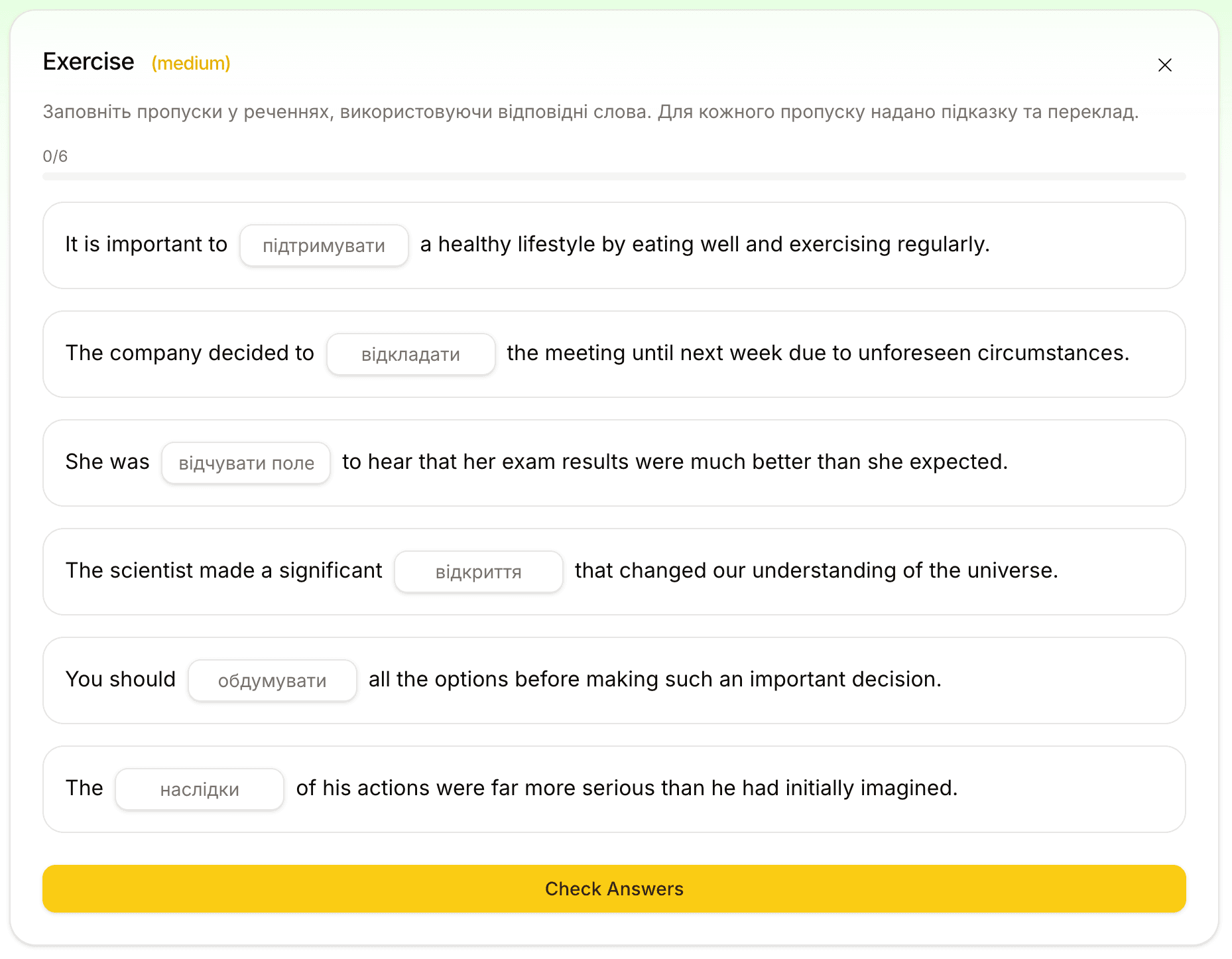
Fill-in-the-blank tests productive recall, because you have to pull the word out of memory instead of recognizing it. Lingoverse generates 5 to 15 sentences per exercise, weighted toward words from your current Space and conversation, then mixes in words from your wider vocabulary where they fit naturally.
Two specialized modes kick in automatically when the topic calls for them:
- Collocations: blanks target the verb or adjective that pairs with a noun ("make a decision", "strong tea")
- Phrasal verbs: blanks target either the verb or the particle of a phrasal verb ("give up", "look after")
Best for: building active recall around words you have already met.
2. Word order
You see a scrambled sentence. You arrange the words in the right order.
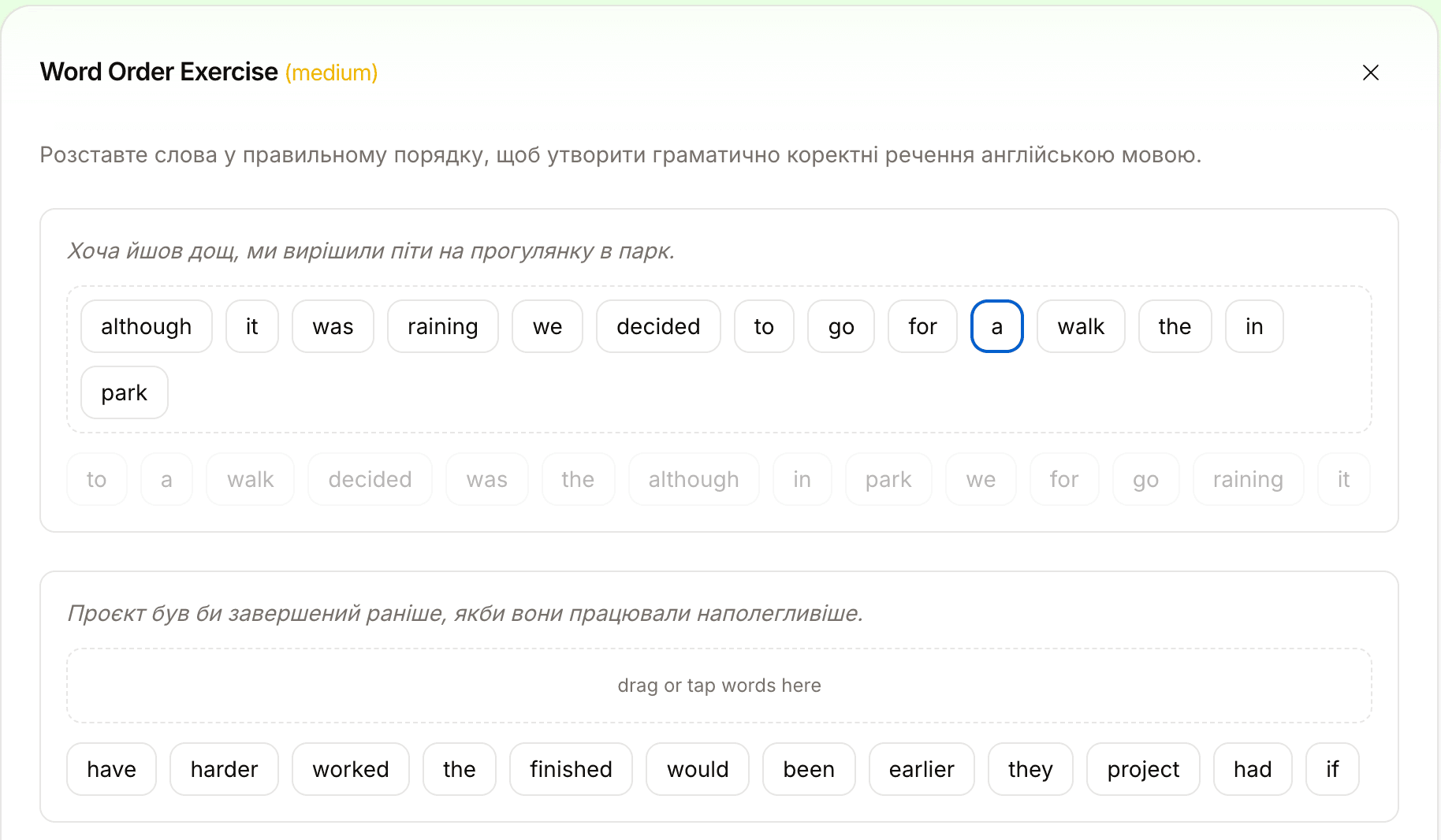
Word order works on syntax, the layer between vocabulary and grammar. You can know every word in a sentence and still place them wrong. This exercise trains the intuition for where each word goes.
It is short on purpose: 3 to 5 sentences per session. The scrambled version always contains every word from the original, articles included, so the only difficulty is the arrangement.
Best for: catching word-order habits from your native language that quietly leak into your target language.
3. Matching
Two columns. Words on one side, definitions or translations on the other. Connect them.
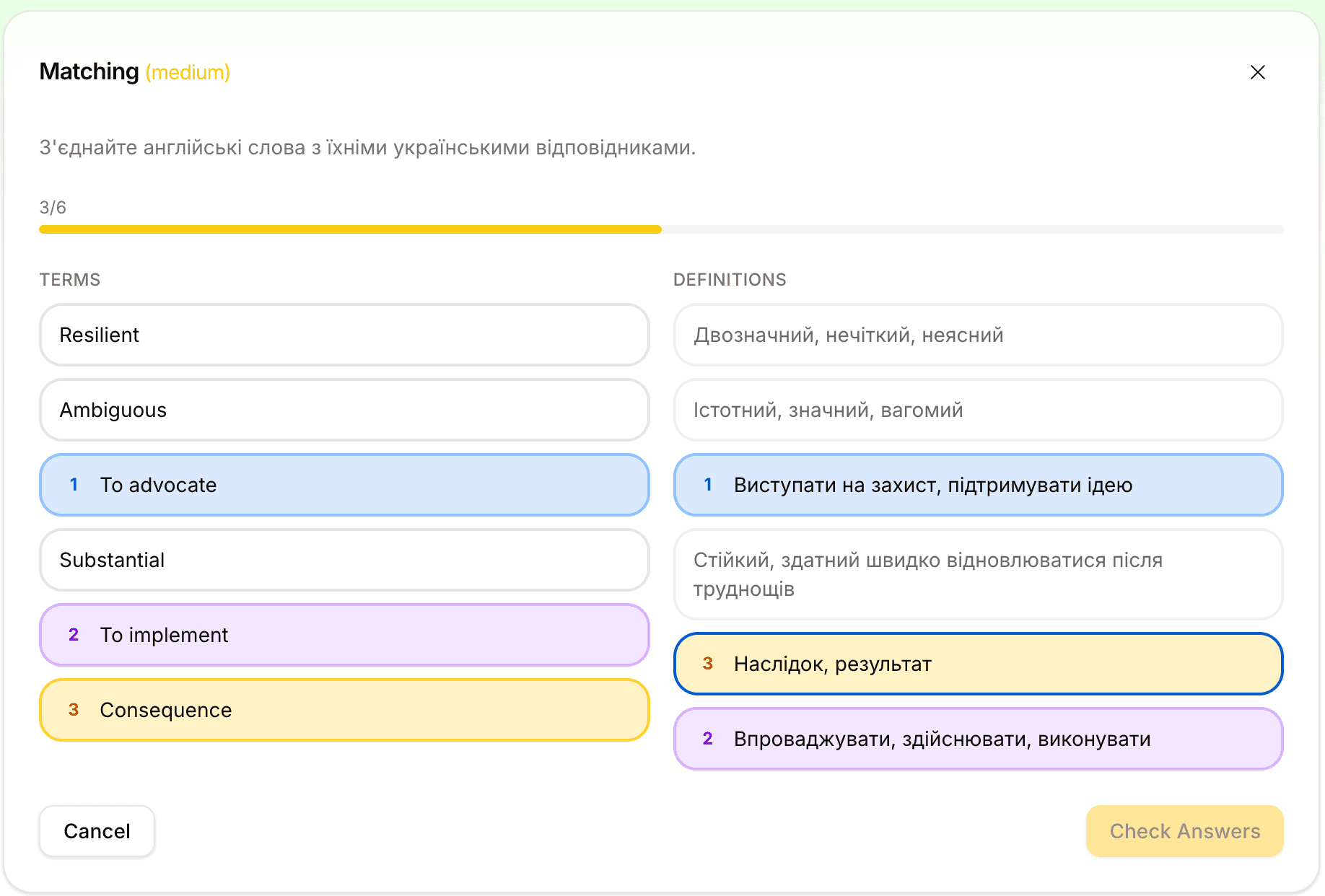
Matching is the fastest way to test recognition across a batch of words at once. Lingoverse generates 5 to 8 pairs per session, drawn from your current Space when possible, your wider vocabulary when not.
Pick it when you want to confirm that the meanings are sticking before you move on to production exercises.
Best for: quick warm-ups, end-of-week reviews, or checking a batch of new words you just saved.
4. Reading comprehension — new
This is the one we are most proud of.
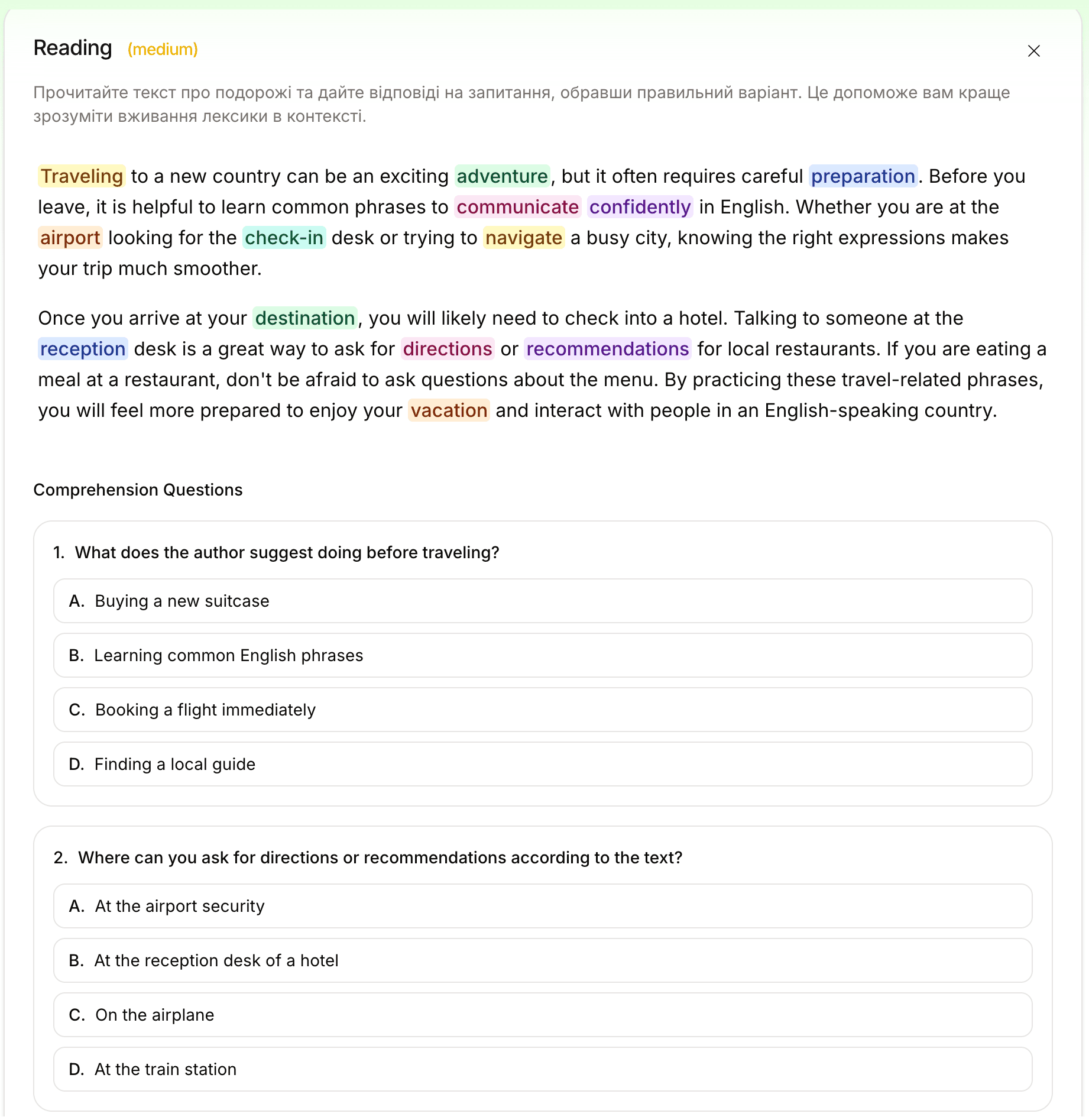
Word lists and flashcards keep you at the level of individual words. In reading, you meet those words in connected prose, the way you meet them in life.
Lingoverse generates a 150–250 word passage in your target language, working in vocabulary from your Space. Then it asks 3 to 5 multiple-choice comprehension questions in the same language. Key vocabulary in the passage is highlighted in stable pastel colors, so the words you are practicing stand out as you read.
When a topic benefits from outside context, Lingoverse can pull real-world facts from the web before writing the passage. That helps when the topic is "octopus intelligence" or "the history of espresso" and you want the passage built on real facts.
If a highlighted word, or any unfamiliar word, catches your eye, send it to chat in one click, ask about it, and save it to your vocabulary. So reading also gives you the next words to practice.
Best for: bridging from word lists to actual reading.
5. Grammar choice — new
A sentence with a gap, two options, pick the right one.
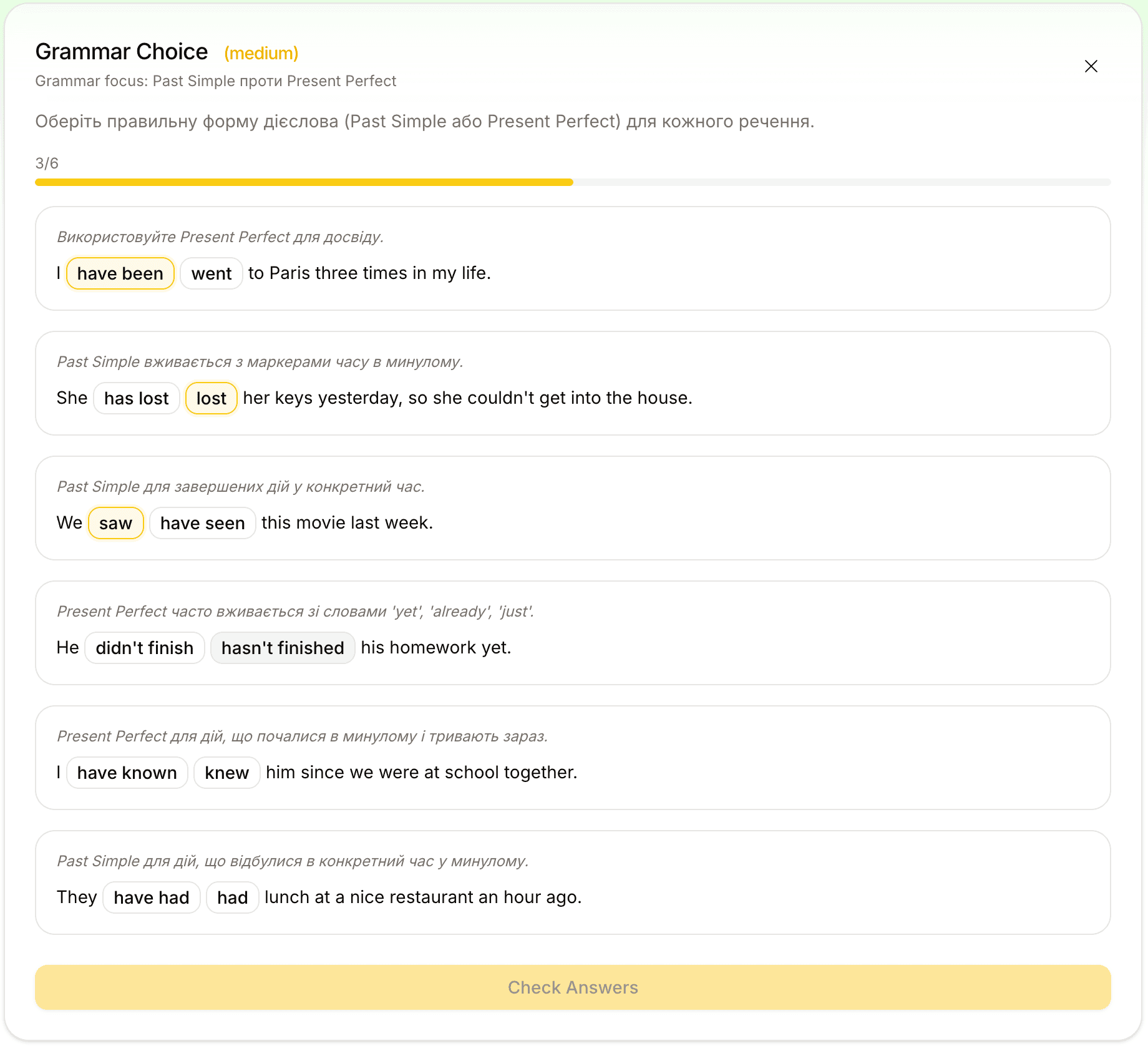
Grammar choice is for when you know the word and its meaning but not the form. Should it be ser or estar? Por or para? Have been or had been? Grammar choice generates 5 to 12 sentences that test a specific rule, presents two plausible options, and explains why the right one is right after you answer.
The wrong option is never obviously wrong. It is the kind of mistake a learner at your level would actually make.
Best for: locking down a specific grammar rule that keeps tripping you up. Ask for "grammar choice on ser vs estar" and that is what you get.
6. Error correction — new
A sentence with exactly one mistake. Find it, fix it.
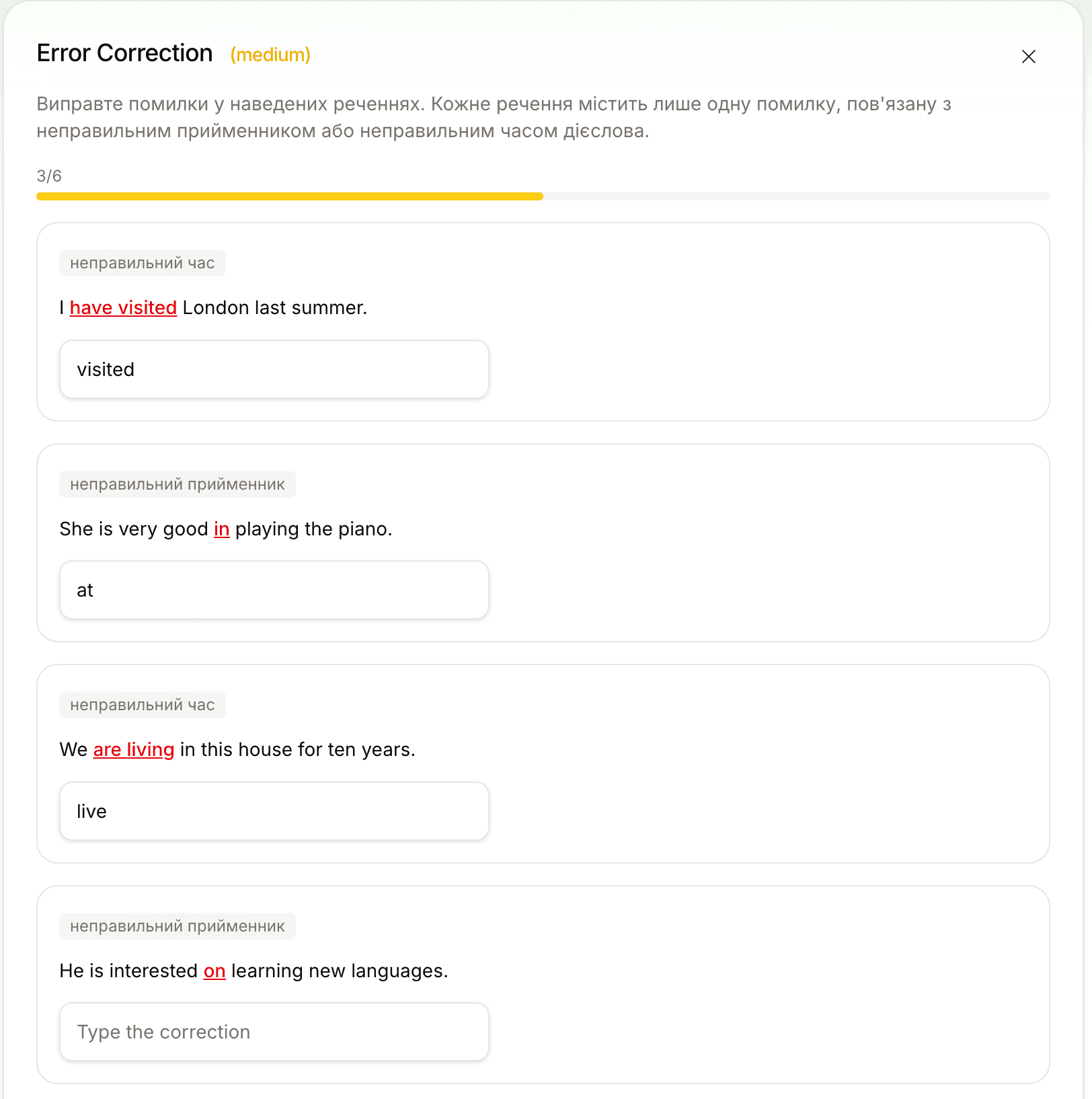
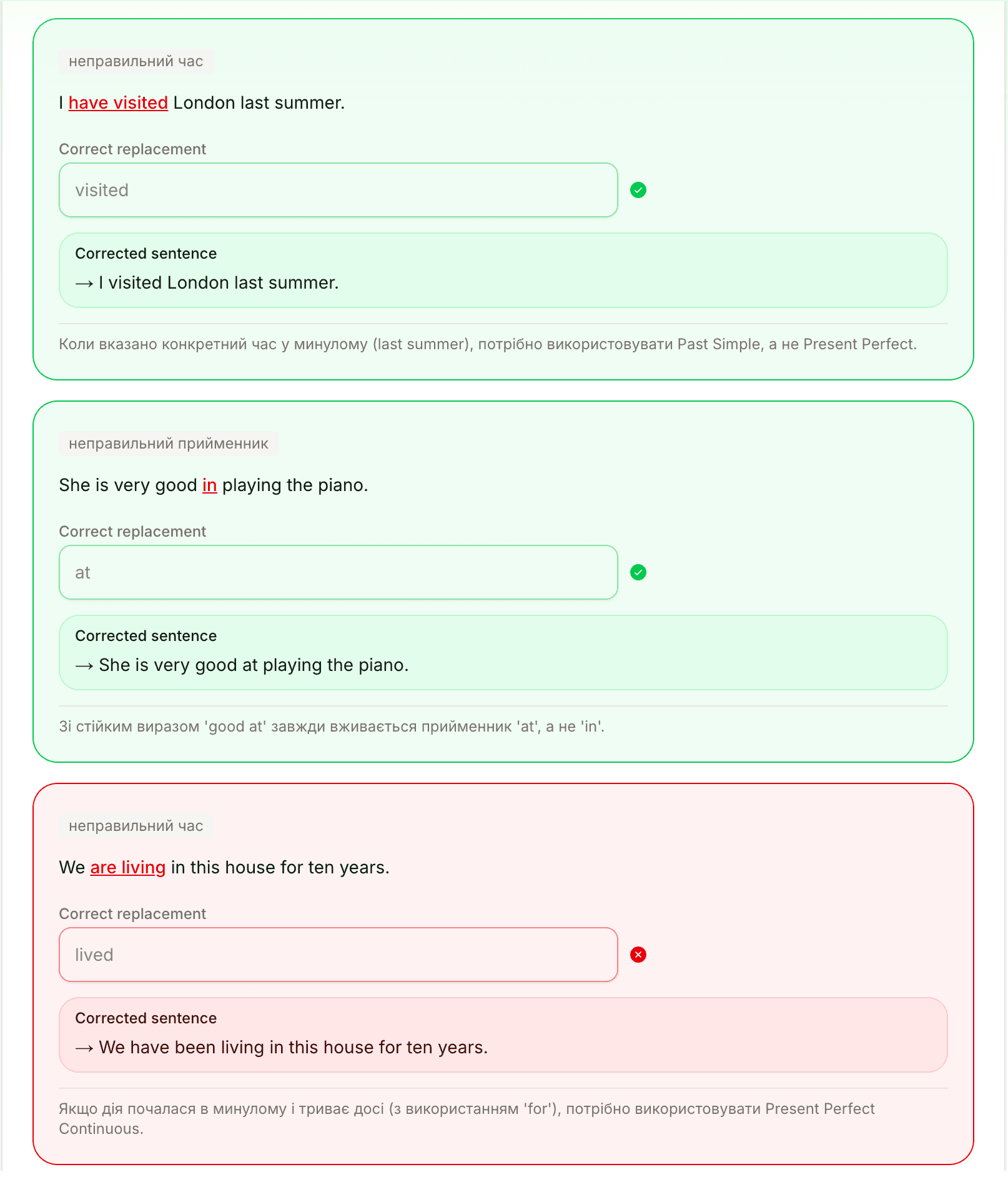
Error correction is the only one of the six that asks you to look at language critically instead of producing it from scratch. You scan a sentence the way a teacher would, spot what is off, and name the fix.
Lingoverse generates 5 to 10 sentences, each with exactly one error: a wrong verb tense, wrong conjugation, gender or number agreement, wrong preposition, wrong word choice. Every item comes with an explanation in your native language of what the error is and why your correction is right.
Best for: training the editing instinct you need for your own writing. If you are preparing for a writing exam, start with this one.
The exercise type picker
Before today, when you asked for "an exercise" without naming a type, the tutor picked one based on context and ran with it. Sometimes that worked. Often it picked fill-in-the-blank because it was the safest default, even when reading or grammar choice would have been a better fit for what you were doing.
Now, when you ask for practice without specifying a type, the tutor shows you the exercise type picker, an interactive card in the chat with all six options laid out as tiles. Pick one and the exercise generates immediately, carrying forward whatever topic or vocabulary you mentioned in the original request.
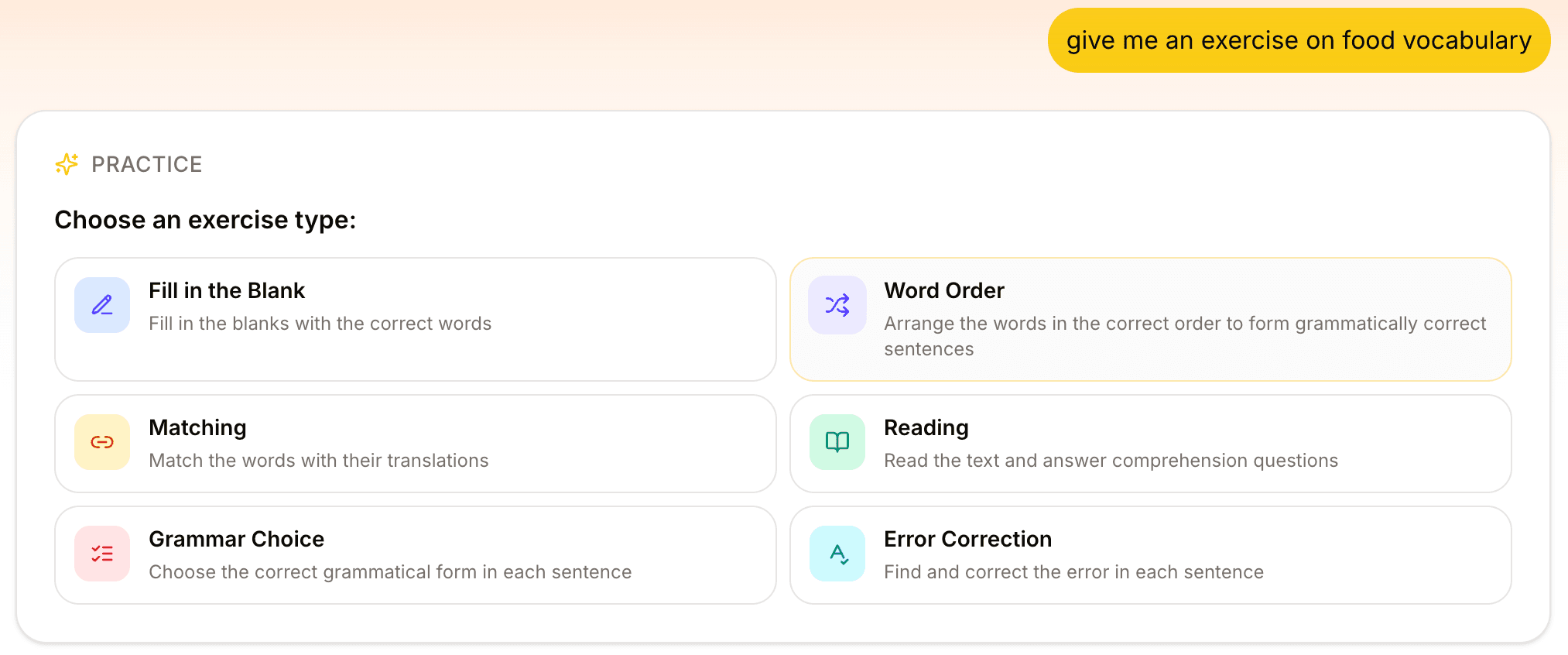
If you already know which type you want ("give me a reading exercise about coffee", "matching for my saved food words", "grammar choice for ser vs estar"), the tutor skips the picker and generates the exercise directly. The picker only shows up when you have not made the call yourself.
What this means for how you study
Three small shifts:
You can match the exercise to the weakness. If you can recognize words but can't produce them, fill-in-the-blank. If recognition itself is shaky, matching. If your grammar is what's failing in writing, grammar choice and error correction. If you want to see your vocabulary in connected text, reading.
The tutor asks instead of guessing. When you haven't specified a type, there is no single right default, so you make the call.
The same vocabulary can drive five completely different sessions. A list of 15 words in a single Space can become a matching warm-up, a fill-in-the-blank production drill, a reading passage built around them, a grammar-choice exercise testing a tense those words appear in, and an error-correction pass on common mistakes. That is the case for keeping vocabulary in one place instead of scattered across notes and apps.
What is next
The current six types cover the spectrum from recognition to production to editing. We are not planning to keep adding exercise formats just to raise the count. The next round of work is on the depth of each one: more reliable topic targeting on reading, smarter difficulty calibration on grammar choice, and deeper integration with the flashcard review you already use in the Space.
If you have a Lingoverse account, the exercise type picker is live in your chat right now. Open any Space, ask for an exercise, see all six options.
If you don't have an account yet, that is the workflow: save your own words, then practice them six different ways.